Android
Android 16 might bring a simpler way to start your screen saver

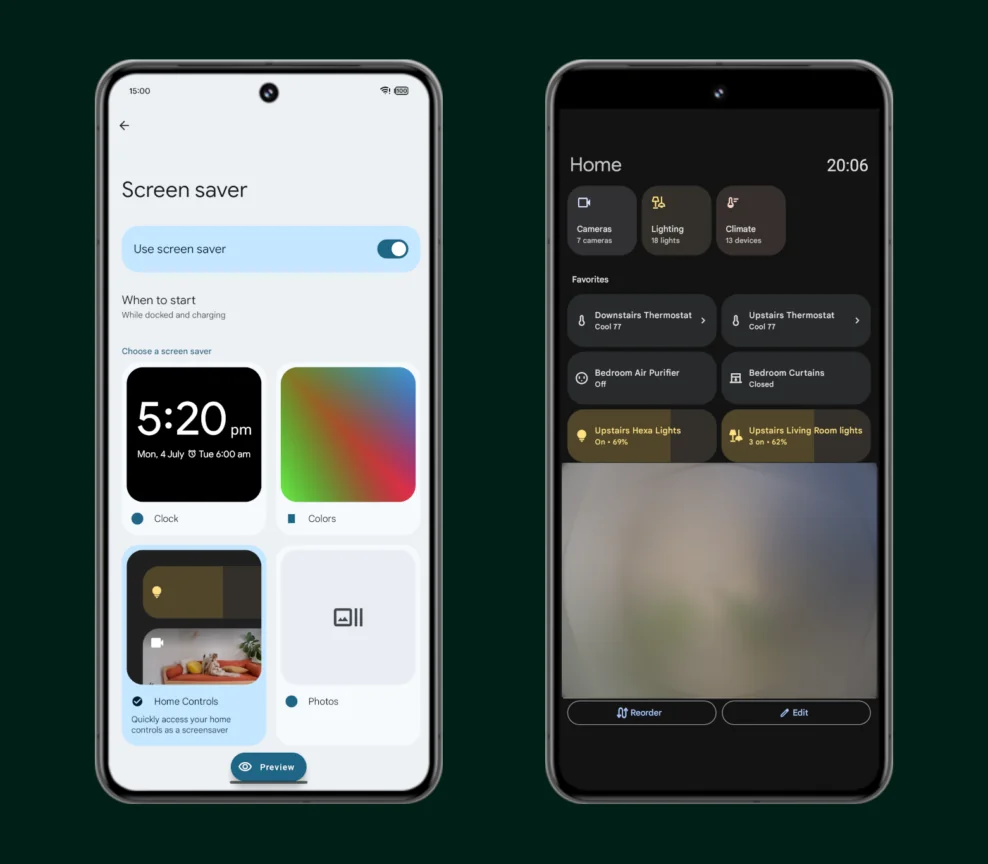
Your Android phone can do handy things even when you’re not using it, thanks to its screen saver. For instance, you can set it to display smart home controls, letting you manage devices without unlocking your phone. Right now, to turn on the screen saver, you either need to charge your phone or place it on a dock.
But not all charging stands count as docks, and it’s a hassle to switch on the screen saver every time your phone is just charging. That’s why Google is planning a fresh way to activate the screen saver in Android 16—one that skips the dock completely.
At the moment, Android has two options to start the screen saver: when the phone is charging, or when it’s both docked and charging. The first kicks in anytime the phone is plugged in, no matter how it’s positioned. The second only works when the phone is on a dock and charging.
How does Android know it’s docked? It depends on the dock sending info about itself—like whether it’s for a car, desk, or a basic or fancy type. Android then picks up this signal and starts the screen saver or other apps linked to it.
The catch? Many charging stands don’t register as docks. So, users rely on the “while charging” option, which turns on the screen saver even with a regular charger, like one by your bed. This can bug people who only want it on a stand, not every time it charges.
Google’s fix might be a new trigger called “postured.” This means the phone is standing upright, not lying flat. It stops the screen saver from popping up when your phone’s flat on a table while charging—it’ll only work when it’s upright on a stand.
This “postured” feature isn’t out yet, but I found clues about it in Android 16 Beta 2, with lines like “While postured” and “While postured and charging.” It seems aimed at phones, though it could work on tablets too. This small tweak, paired with growing Qi2 wireless charging support, should make screen savers easier to use without needing a dock.